Showing posts with label Windows. Show all posts

Friday, September 16, 2011

Windows 8 Developer Preview is Out

With the recent release of Lion, the tech world now turns its head to Microsoft. They are expecting something just as good/bad depending on how they liked Lion. Microsoft was quick to unveil Windows 8. Windows 8 is actually like Lion in a huge way, it combines the mobile aspect of the Windows Phone, and the desktop aspect of Windows OS. This is the same thing Apple did with Lion, but combining the mobile and desktop aspects of the Mac and iOS. The Windows 8 Developer Preview dropped this week for people and developers alike to try out.
The new start menu in Windows 8

The Lock Screen that is used for Windows 8
What makes Windows 8 so different is that Microsoft is really gearing it toward mobile users, which in my opinion will anger the PC community greatly. Even though you are not required to upgrade, there are many improvements that make it worth doing so. Things like hardware accelerated applications, and a build in firewall/antivirus system are use a few. If you have some time and want to try it out, you can make a 30-40 GB partition on your drive and install it. See if you like it before it comes out.

~Dave

Tuesday, July 26, 2011

Why I am Waiting for a Windows SSD

In recents months SSD prices have been dropping to the point where I am considering buying one for Windows. I came very close to buying some of them, but then I strayed away. The reason being is that all the current drives that are SATA III are having issues with Windows. Many of the newer drives are having problems where they randomly get a Blue Screen of Death. This is a huge no buy point for me, as I don't wish to deal with any issues. I keep looking, but at the moment there only seems to be one drive that doesn't have any issues, and that is the Patriot Wildfire. With no issues, and comparable speeds, it is the drive worth buying. However, with a price point of $300 I am not ready to buy that yet. For 120GB I would like less then $200 to be spent on the drive. Until these issues are fixed, or this drive drops in price, I will be waiting to buy a SSD for Windows. Plus, I have no issues at the moment with my 1 TB Caviar Black drive.

~Dave

Monday, July 25, 2011

Dell Has Impressed Me

A while back I mentioned the new laptop I helped my friend pick out. Earlier this week it arrived, and as of yesterday we opened it. The Dell XPS 17 that he ordered performed much better then I expected to be honest. Everything was pre-installed, including all those annoying dell drivers, After booting up, we made sure to remove the annoying Dell drivers, as well as Mcafee and Roxio Creator. Freed up quite a bit of space.  We were a little disappointed with the fact that Steam was suppose to come pre-installed at no extra charge, but it would seem Dell forgot to do that. It only took us about half an hour to get the computer to where we wanted it to be. We installed the normals: Google Chrome, Pidgin, Skype, and Steam. Then, we updated the graphics drivers, and updated Windows itself. I usually use Microsoft Security Essentials, mostly because it is free and does a great job. My friend prefers to use Malware Bytes. I have never used this, but he says it is lighter (takes up less space) and does the same thing as MSE. In my opinion, what ever floats your boat. 

His specs were good, coming in with an Intel Core i7 processor, Nvidia 555M 1GB graphics card, 6 GB RAM, a Samsung solid state drive, and a half terabyte Toshiba. His boot time was about 12-15 seconds, which is still really fast. I have to keep reminding him that he has to install more stuff to the hard drive and less to the SSD as the SSD will get slower the more it fills up, as well as die quicker. The computer only really got hot when we started gaming, but that was no big deal as the ventalation took care of most of the heat. Overall this is a great product, and I am quite surprised at how well it performs considering Dell's track record. I would recommend this computer to someone looking to an affordable gaming laptop.

~Dave

Wednesday, July 6, 2011

Another great experience

When it comes to customer service, it is hard to be motivated to call them up. Most of the time they can be little or no help. However, when I called OCZ's customer service, I had a very helpful man. The man knew what he was talking about and was glad to assist me. The reason I had placed the call was because the 60 GB Agility 3 I had bought did not come with a 2.5" mounting bracket like it was suppose to. Even though I had an extra, I wanted to notify the company of this bad quality of packaging. Someone is suppose to make sure that all the parts are with the drive before it ships, and since mine did not come with all the parts I will be filing a small complaint as well as requesting a replacement for that part. Unfortunately I couldn't do that over the phone, so today I will be filling out a suppose ticket. The ticket will allow me to get a replacement part. 

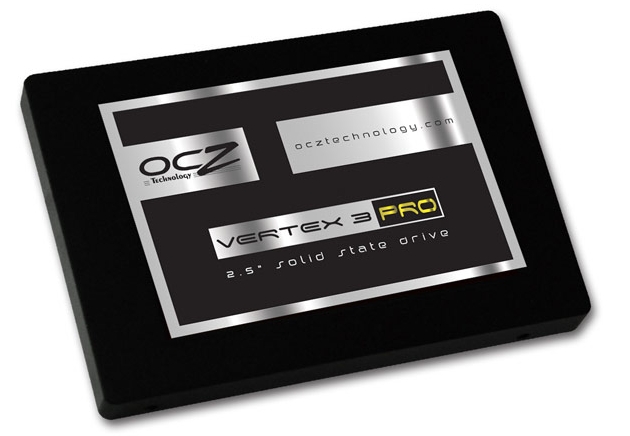
Next on my agenda was asking the customer service rep about the issues I had been reading about regarding SSDs. Recently, there have been many reports on OCZs forum of issues regarding their Agiltiy 3 and Vertex 3 drives. Most people say it is firmware related, but you can never be sure. The issues would include Blue Screen of Death (BSOD), lock ups, and freezes of the Window OS. I asked the rep if this problem was really as rampant as it was made out to be. He responded by assuring me that this problem is very minuscule, and most likely is a result of a driver issue for some people. If this is really the case, then I should have no problem when looking at a purchasing a 120 GB drive for my Windows OS. This is what good customer service is all about.

~Dave

Friday, July 1, 2011

One SSD Down, One to Go

As I mentioned earlier this week, I picked up an Agility 3 for my hackintosh to run Lion on. However, I still need a SSD for Windows to run on. The downside to this is that I want Windows to run on a 120 GB drive, not a 60GB drive. Windows is much larger then Lion and will expand in size as it updates. So you may think "No problem right? Just go buy a drive". My issue is that many of the new drives are reporting problems with Windows, many of which are blue screen of death issues. Corsair, for example, had a recall just weeks ago because their drives were faulty. OCZ on the other hand is just putting out firmware updates, but insists there is nothing wrong with the drives. The issue for me is this: There is a sale this week putting the 120 GB drives below $200. This is the price that I am willing to pay, however it is risky to buy if there are issues. Many people insist that if you have issues, use your three year warranty and trade in the drive. Again, I have no issue with this, it is just that doing that requires me to uninstall the drive, wait for the new one, and then ship the old one out. However, think of this scenario: I have to ship out three or four SSDs because they are not working, that will mean days of no Windows drive. That would seriously hurt my gaming ability. Out of all the drives that are currently on sale, I am considering the OCZ Solid 3 as it seems to have the least problems.

~Dave

Thursday, May 19, 2011

Save When You Switch

Did you just switch from Windows to OS X? If yes, here is one of the first applications you will want to buy from the Mac App Store. It is called Parallels Transporter, and it allows you to access your Windows files from your Mac. Best part, it only costs $1 right now. Of course, you could pay someone to do this for you, or take it to the Apple store. However, this app will save you time and money. Why get bogged down trying to put stuff on flash drives and sort it all out? This app does the work for you. Now, this isn't to say you aren't going to have to go through your files, you will, but this just brings them over in a simple manner. I wish they had an app like this when some of the people I know switched, they would have loved it. Check it out, it is only $1 and if you don't like it you don't have to use it.

~Dave


Monday, May 9, 2011

Microsoft is Really Trying


Over the weekend I happen to stumble upon a new Microsoft advertisement. Usually I don't care about them, they don't have anything of interest. However, this one is funny and strikes a good points. Buy a PC and go to Hawai is what Microsoft is pushing now. They say that with the money you save buying a PC, instead of buying a Mac, you can go to Hawai and enjoy your new laptop. The ad is not without its flaws. It of course states things like MobileMe is only used for online backup, which is not entirely true. It also tries to draw comparisons between different sized hard drives as compared to a solid state. Again, not quite the comparison you want to be drawing, solid states are much faster. Another notable difference is that all the Macs offer matte display options, where as none of the PCs offer this option. I give props to Microsoft, they are really trying. In my opinion though, they just haven't hit that one ad that will have a last effecting. Take the first iPod ad for example, it was simplistic and to the point. This is what Microsoft should be aiming for in their ads.

~Dave

Thursday, April 28, 2011

Portal 2

Chell as seen in Portal 2
The sequel to Valve's single player 2007 hit, Portal, is now here. Portal 2 is here and it lives up to the hype around its release. The game takes place 10 years after the original. You still play Chell, the main character, and this time you are challenged with harder more mind boggling levels. The game tends to focus on the backstory of Aperture Science, while revealing some other startling information. I won't go farther then that, as I don't want to spoil anything for you guys.

The game mechanics are the same for the most part. The newest addition to the game would be the new "Gels". Gels give you either enhanced speed or enhanced jumping height. There is one more gel, but I will let that one go as it may be a potential spoiler.

The great thing about the game is that the facility almost seems alive as you play through the game. Walls are moving and being fixed constantly. In addition, junk is being disposed of constantly. One thing I found to be a nice addition was how music seemed to correspond with your actions in the game. The faster Chell moved, the faster the music got, and the more intense it became. As for Co-op, I can't speak about it yet as I haven't gotten to play that part of the game. Hopefully I will be able to play co-op mode. From what I have played though, this game is definitely worth the buy.

~Dave

Thursday, April 14, 2011

Sata III


For some time now I have been considering upgrading to an SSD (Solid State Drive). If you don't know what a solid state drive is, have a look at my article on solid state drives vs. hard drives. So it would seem real simple to just go out and buy an OCZ Vertex 2 and be done with it. However, there is one thing which is stopping me. SSDs are now moving to 6GB/s SATA, also known as SATA III. The difference between SATA III and SATA II are the speed, SATA III is much faster. The reason I don't buy SATA III drives is because I don't have any SATA III ports on my motherboard. I can't upgrade my motherboard because I am running a hackintosh, and because my Intel chip is an LGA 775 socket. Support for the LGA 775 socket is going away fast because it is old technology. So what do I do? Well, thanks once again to Reddit I have a solution. I asked Reddit if there was a way I could get these SATA III ports that I needed in some sort of expansion slot or something. As I was hoping, there is a way.

I was shown this Highpoint expansion card. This card allows me to have two SATA III ports on my motherboard. Well, not exactly on it, it is an expansion card. My hope is that in the future I will be able to buy an OCZ Vertex 3 SSD along with this expansion card. This would allow me not only to use the Vertex 3, but get close to the maximum speed I can out of it. I might even get another Vertex 3 when Lion comes out since it supports trim. These are just plans for the future, hopefully they will come true. If I had the money for this stuff right now, I would probably get those items.

~Dave

Tuesday, April 12, 2011

Ready to Help Charity


I know a lot of you out there like gaming, and that is good... really good. Purchasing games usually can seem like your throwing your money away, but fret no more because Humble Bundle has returned! That is right sport's fans, you can now help charity and game your heart out at the same time. Now, you could be mean and not pay anything for the bundle, but why would you do that when you can name your own price? Last bundle made almost 2 million dollars, and gave out almost 10 games. And the best part is, they are cross platform. Well, in this one only three are cross platform, but three is better then none! You can join in the fun today at humblebundle.com. The bundle goes on sale today at 9 AM PST, 1 AM EST. Make sure to give a little.

~Dave

Wednesday, March 30, 2011

MSI Hawk GTX 460 1GB GDDR5

My brand new graphics card!
After three days of waiting, a weeks of researching, my new graphics card has finally arrived. Installing it was a pain in my thumb because I shredded some skin while getting the PCI-E wires in and out. However, once it was in there was very little issues afterward. I booted into Windows without a hitch. After Windows installed the drivers, and I made sure I had the latest ones, I restarted the computer so Windows could apply the changes. Finally I got into Steam and ran Just Cause 2, a game which has its own benchmarking program in it. First, since I didn't have a lot of time, I set the display setting to "optimal" which is suppose to choose the best for my rig. I thought it was wrong at first because it set everything to "very high" and some optional items to "On". Here are my results:
AMAZING!
This was by far an amazing investment, and will most likely last me the next two years or so. This, of course, is only one benchmark, if I had done others I would probably see slight differences. As for my old 9800 GT, I am putting it away in storage. I have some future plans for it that where I might put it to use. If my current motherboard support the PhysX feature though, I would have put my 9800 GT in PhysX with my MSI Hawk.

~Dave

Monday, March 28, 2011

Over the Weekend I Learned

Over the weekend I was looking through different software for Mac, just browsing to see what was available. While browsing, I came across Final Cut Pro. I decided to read the specs and specifications, and while browsing I learned something interesting. Final Cut Pro is Mac only software. I was a little surprised at first because Microsoft goes out of its way to make programs like Microsoft Office available for Mac, and so does Adobe when it comes to the CS5 suite. The more I thought about it, the more it made sense. This was how Apple worked, they need control. They don't have control if their "exclusive" products run on other systems. Look at all the applications which Apple has made for their system, almost none of currently work on both Windows and Mac. For example, iWork and Things are a batch of programs which don't work with Windows. The only exception to this is iTunes, which works on both platforms. However, the Mac version gets Quicktime 10 to work with, while the Windows version gets Quicktime 8. It really comes down to which system can one up the other more.

~Dave

Monday, March 7, 2011

Upgrading Windows

While my laptop was in the shop, my desktop was also being worked on. I was working on upgrading the OS from Windows Home Premium to Windows Professional. You would think the process would be easy, but then again nothing is easy. I had a trial version of Home Premium, and it was about to expire. From what I had been told, and what I read, there should be an issue running the upgrade disk. Turns out I read that wrong. Windows Pro would only upgrade the OS if the previous OS had been an activated Windows OS. This left me with no choice but to upgrade via a "custome install", also known as a "clean" install. What does that mean? Well it just means it wipes my hard drive and installs the OS. However, I did not that Windows made a folder with all my old information in it. The folder was known as "Windows.old". It housed everything from the old OS.    

Thing is, I wanted to restore my games, but I didn't want to have to use the product key
After looking into it more, I found you can't restore games from Windows.old, you can only restore documents and other files. It would have been good if I had taken more of my save game files, not many of them were backed up. I did get the important one, although I did miss Super Meat Boy. Anyway, so after all that I had to go about reinstalling my games, which I am still in the process of doing, and trying to put the save files I did recover back in their proper position. This would allow me to play them again.

There is an underlying lesson that I learned here. Back up! Back up! Back up! NEVER do an OS upgrade with out backing up your files. Yet, you know what they say, you learn from your mistakes. I now know what to do in the future I guess.

~Dave

Tuesday, March 1, 2011

How Will Others Respond?

With an Apple event right around the corner, it is interesting to think about what other companies will say and do after the event. If the rumors hold true, tomorrow's even will get a new iPad witha camera, and possibly the next iPhone. The iPhone may or may not have a sliding keyboard and a larger screen. In addition, Apple will most likely boast about its new OS Lion, hitting store shelves this summer. So what does this do for the competition? For one thing, Android is working on its OS known as "Honeycomb", which boasts many nice features the iPad doesn't have, such as a much nice multi tasking system. Then there Motorola who just announced the Xoom, the product known as the "iPad Killer". They may have beaten Apple to the camera, but Apple has beaten them in price. There is of course the HTC Thunderbolt, which is the first LTE phone on the Verizon network, can that out do the next iPhone. That one is unclear. And then we get to Microsoft, who, only two three years ago, released Windows 7. Windows 7 received its first service pack this past week. To put that in prospective, XP had three service packs before Vista, and Snow Leopard has 6 big updates. So would that mean Windows 7 is here to stay for a while, or will Microsoft jump ahead and announce Windows 8? Sure they have said it is in the works, but does that mean they know what to do? For all we know that could be a PR statement just put out to satisfy customers.
Remember, almost everything Apple has done in the past couple of years has forced the industry to try and keep up. What ever move they make tomorrow will pretty much dictate what the year will be like in terms of technology.

~Dave

Wednesday, February 23, 2011

Other Ways to Read .Pages files

A while back I talked about how to read .pages files on a Windows computer. Well, it has come to my attention there is a way you can successfully convert the file with any issues. You can simply use a site called Zamzar. Zamzar allows you to upload files to be converted, and it will then email it to you. This way only works if you have an internet connection, so keep that in mind. Simply go to the site, select your file, choose a file type, type your email in, and then proceed to converting it. It is that easy. If you decide to become an avid user, you can always sign up for Zamzar so you can have an account. However, I just use Zamzar when I need it. Hence I don't have a reason for an account. All that would do is give me another password to memorize, and I don't feel like doing that. So remember, if you ever need to convert a .pages file on the go, you have two option. The great thing about this option is you will be able to actually edit the file, where the other option just lets you view the file.

Monday, January 24, 2011

My Security is Somewhat Essential


When you buy a new computer, many people say it is essential that you have virus protection. I agree with that, but only to an extent. Most virus protection software costs money. Not only that, but the programs just keep growing in size and slow down your computer immensely. I, however, have a method of keeping my computer safe. This method, which my friend taught me, is very simple. When you first get your computer, download everything you need right there and then. That means your drivers, programs, and games. Then, when you are done, install something lightweight like Microsoft Security Essentials. From then on out, don't download anything from the web unless you absolutely need it. For example, don't just download random programs and try them out. Instead, read up on them and see if they are worth it. Most of the time those programs aren't helpful at all. The only thing you really should be downloading are drivers for your computer. And, if possible, try to store as few documents as possible on your computer. That means you should utilize things like Google Docs or Dropbox. This way, you keep your files in a safe place, and they can be accessed from any computer. I have instituted this policy, and so far I have not had any viruses. I do a full scan of my computer once per week, just to make sure I am safe. And, in the event in which I do obtain a dangerous virus, I can wipe my hard drive and start new because I don't store any important information on my computer. In addition to that, most of my games are on Steam so I can re-download them without hassle.

~Dave

Saturday, January 22, 2011

Sysinternal Suite


It was suggested to me by a reader that I have a look at Sysinternal Suite from Microsoft. The reader said that this is better then using Run and typing "msconfig". What Sysinternal comes with is a bunch of executable, that is .exe, files. Each file does something different to help you troubleshoot different parts of your computer. The file which the reader said to use is called "AutoRuns.exe". Once open, this file shows you all the process your computer uses when it starts up. If you hover your mouse over each, it gives you a short description of what each item does. This is a little more advanced then msconfig, and takes some research before using if you are not sure what you are doing. When you decide you don't need something on start-up, simply uncheck the box next to it. When you are done you can close the program, restart, and allow your computer to put the changes into effect. This shows a lot more then msconfig, so please do your research before using it. You could mess up your computer if you don't know what you are doing.

~Dave

Wednesday, January 19, 2011

Fixed My Friends Computer

Recently, a friend of mine asked me why his computer was so slow. Before hand, I knew this person was not well informed when it came to computers. Sure, he or she knew what an OS is and hows to open Microsoft Word, but keeping his or her computer clean is not something in his or her repertoire. After having one look as his laptop, I started going through what I would do to clean the computer if it was mine.  First, I went to the control panel and turned of Aero Theme. All that animation on a laptop will make it pretty slow. Next, I ran "msconfig" from the Run application. I then disabled all start up items he didn't need. Finally, I clicked on "Computer" and then right clicked on the hard drive listed. I selected "Properties" and then proceeded to the hardware cleaning tool. He, or she, had almost 2 GB of temporary files that had not been cleaned out. I am yet to check back with him or her on how it is working, but I am sure it is better then before. All these methods and more can be found in my tutorial, How to Keep Windows 7 Fast.

~Dave

Sunday, January 16, 2011

Somewhat Successful Attempt

I decided to take some time yesterday to try an idea of mine. I really wanted to play Super Meat Boy on my macbook, but it is a Windows only game. My idea was to install steam in Wine, and then attempt to play through wine. Just getting steam to work properly was a pain. I had to install it through wine, then I had to change some settings in X11 ( the program that runs the applications) so that I could click. It was very tedious and quite annoying. After that, I had to wait for Super Meat Boy to download, which took a couple of minutes. When I finally started to run it, it failed to start. So, I went into the control settings for the "steam" application in wine and changed it to run in Windows XP instead of Vista. This in turn allowed Super Meat Boy to play, but with a few graphical glitches, and at a low fram rate. In the end, I ended up uninstalling the Windows version of Steam, and decided to wait until Super Meat Boy is ported to Mac.

~Dave

Friday, December 31, 2010

MineCraft Server

The server client on my laptop looked like this.

Last night a spend a tone of time on a Minecraft server that I made. The process was very easy, and I had almost no trouble at all. Once I got it up and running, my friend and I played for hours and hours on it. I followed this simple tutorial to get the server up and running on my macbook. Here are the directions I followed when making the server, they were very clear and easy!
  1. Download the latest version of minecraft_server.jar from here
  2. Create a folder and put minecraft_server.jar into it. For example, create a folder on the Desktop named minecraft_server and drag the jar file into it.
  3. Open TextEdit, set the format to plain text (Format > Make Plain Text), copy and paste in the following code, and save the file as "start.command" in the same folder as minecraft_server.jar.
    #!/bin/bash
    cd "`dirname "$0"`"
    java -Xmx1G -Xms1G -jar minecraft_server.jar
    This will give the server enough RAM to run. The amount of RAM can be changed by editing the 1G to something else, such as 2G for 2 GB.
  4. Open Terminal (in /Applications/Utilities/Terminal). Type in chmod a+x , with a space after it, then drag and drop the start.command file into the terminal window, then press enter. (This gives run permission to the script.)
Double-click the start.command file to start the server.
Next, set up port mapping by following the directions below.
For server settings, see the relevant steps in the section Configure the Minecraft Server, but skip the port forwarding steps if you followed the port mapping directions below.

The whole process took about fifteen to twenty minutes, and the server only took a little less then 100 mb of RAM to run. Plus, the rate at which it send packets is very small too. My friend and I made a house, and found quite a few items. We even saved it so next we return to the server, we can play with our items!

~Dave