Showing posts with label iPod. Show all posts

Wednesday, June 8, 2011

Apple Announcement Roundup Part 1/3

As a precursor, it did take me a day to fully understand a majority of the things announced at WWDC '11.

iOS 5
 As expected, iOS 5 was announced at WWDC, bringing a slew of new features to the boards. Apple did exactly what was speculated, and revamped the entire notification system. When I say revamped, I mean they just copied Android. If you have ever used an Android device, you know that all the events on your device are stored at the top in the drop down menu. Any time you receive a message, it can be read on the drop down menu. Tapping on it takes you to the application (messages, mail, etc.). The difference between the iPhone and iPad version though is the iPhone version has weather and stocks, which is odd because you would think with the larger screen the iPad would get the same, if not more. 

In addition, Apple introduced iMessages. Essentially, this is Black Berry Messaging for iDevices. If you own an iPhone, iPad, or iPod touch, you can message another iDevice owner over wifi or 3G. And it is free of SMS since iPod users don't have SMS. This means that, hypothetically, if all your friends had iDevices, you could own an iPhone and message them with out having to pay for a SMS data plan. Also, when you first send a text to someone, your device will check and see if the number you are texting is an iDevice with iMessages. If it is, your send button will turn blue, and your contact for that person will update so you know that he/she owns an iDevice. If not, the send button is green, and nothing is updated in the contacts.

Apple didn't stop there though, they went further with the new Reminders application. Reminders is a simple little to-do list application. It allows you to add to-dos, check them off, and update them. They are also synced with Outlook, iCal, and iCloud (which will be talked about later). You can even set locations for each to-do, so you know where you have to go to get the reminder done.

Apple also jumped on the social networking trend by adding full Twitter integration into iOS 5. You can add as many accounts as you want, and it fully integrated into the new messaging system, as well as all the applications. This makes it easy to tweet photos, information, and more at the tap of a screen. You can also add your location if you want. 

But wait, there's more! Apple has added the ability to take a picture from your lock screen. This is suppose to save the user time when getting his/her camera ready. However, as far as I can tell this circumvents the reason you have a lock screen. If you activate the camera, it unlocks the device, therefore undoing the purpose of having the lock screen, which is to keep your device locked. A nifty addition they added to the camera was the ability to take pictures by pressing the volume buttons. This is suppose to make it easier to take pictures, as before the only way was to tap on the screen. Another feature added was minimal ways to edit your pictures. You can crop, and remove read eye from with the application.

Post PC Activation.
Other additions include the ability to use Reader in Safari, and the ability to utilize the new Reading List within Safari. Reading list allows you to add a page to a list which you can then "read later". Plus, there is also the ability to activate your device without having to connect to iTunes. As it is now said, "We live in a post PC world, where not everyone owns a PC." For this reason, you can now activate your device out the box, and have it ready to go in minutes without having to sync and connect to iTunes. Also, there was the addition of rich text formatting for mail, wireless mirroring for iPads to TV, Wireless syncing, and a Game Center update which allows pictures to be added to your friends, as well as in app game purchases.

This post is part of a three part update so that all the parts of the event can be covered. 

~Dave

Sunday, February 27, 2011

iPhone Game Review: Phoenix

iPhone Game Review: Phoenix
Price: $0.99
Version: 1.1.2
  
  Phoenix is a game where you aim to kill as many enemies as possible without dying. As you progress you will gain weapon power ups, super power ups, rings, and sometimes health. The game itself reminds me of the flash game Raiden X. However, it is a stripped down version of Raiden X which runs on the iPhone and iPod Touch.
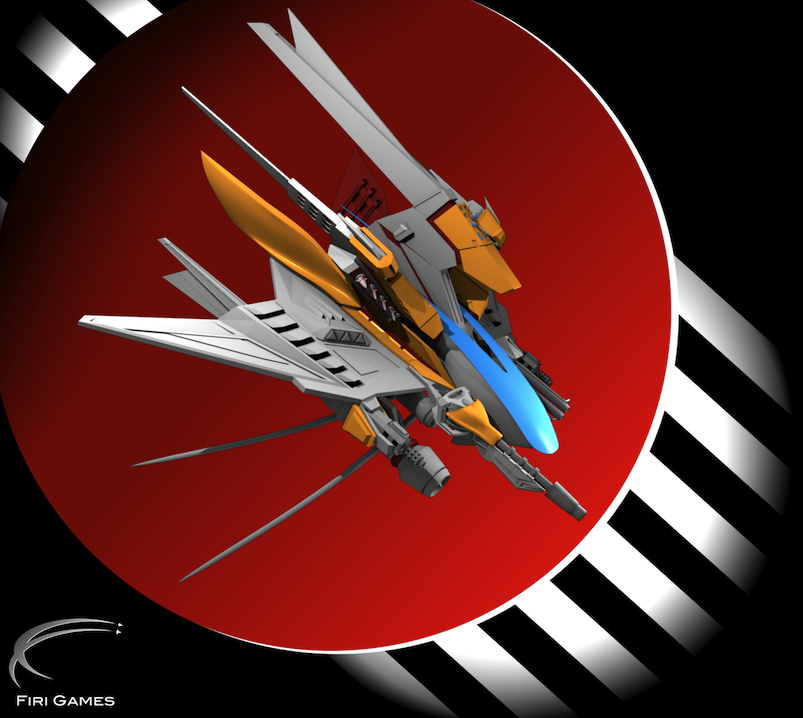
 The game is fast and requires precision movement to keep your ship from dying. Though sometimes I have found it almost impossible not to get hit by projectiles. You play as a ship, seen in the picture to the top left, and you are trying to keep yourself alive from the oncoming attack. There a multiple types of enemies, each of which require a specific way to kill them. While playing, you control your ship with your finger. You can hold down anywhere on the screen to move your ship around. My only gripe with that is many times my finger ends up covering the ship; thus, I take damage because I can't judge where the enemy projectiles are in relation to my ship. This could easily be remedied by giving more options to control the ship with. For example, placing buttons along each side of the screen which you can then press to move your ship left, righ, up, or down. Another remedy would be accelerometer movement. By that I mean the ship moves when you tilt the game.
This is a quick edit to show what I meant by adding buttons. Note: Those buttons are not actually in game
  Overall the game looks fantastic and is a blast to play. There are five levels of difficulty to choose from, each one posing a greater challenge for the player. Plus, there are leaderboards so you can share your score with the world. One thing I would add is a sixth level of difficulty, where the ship does not constantly fire. As of now, while you are playing, the ship is constantly firing. This sixth level would make the player fire when needed and cause the game to become more challenging. It is not a big gripe, but definitely something which would enhance the game in my opinion.

  Though it may come as a turn off to some people, this game does not have multiplayer at all. I find the game fun without multiplayer, and don't see it as a necessity. However, if the company were to add multiplayer I would hope it be something well thought out. If it were me adding the multiplayer, here is what I would do. First, I would allow it to be over wifi so you can play with someone on your GameCenter friends list. Next, the game mode would be a score battle. However, each player would take turns. Here is the fun part, I would make it so one player would send the enemy ships to destroy the other player, while the other player tries to get the highest score. Then, when the other player dies, they switch places and the second player tries to aim for a high score. Again, this is just my thoughts. As I said before the game is great without multiplayer.
Boss battles and explosions! What could be better?
  For $0.99, this is a great game. I highly recommend it to people who like top down shooters. Minus the gripes, this game is still great to play. This game has great graphics, good gameplay, and is a challenge. It will definitely keep you busy for quite a while.

~Dave 

Saturday, February 26, 2011

iPad 2 Event Next Week

 Earlier this week a note was sent out to many media site from Apple. Unfortunately, I didn't get one, but thanks to the internet I can see what it looks like. In fact, I have a picture right here.
Tada! Nice note isn't it?
It would seem that Apple has invited people to come see the next iPad launch. It has become known around the web as iPad 2. So far, there is speculation of quite a few new things. First, there is rumored to be a new and improved speaker slot for when the user is not wearing headphones. Next, it is almost confirmed that there will be a front and back facing camera. This would allow Facetime chats between the iPad and the Macbooks, iPad and the iPhone, or both. Seeing as Apple just released Facetime 1.0 for their new Macbooks, I am going to guess that is what it will be used for. There is also an unknown port on one of the sides. How is this known? Well there was a next gen case floating around, and it showed an open slot. The slot has been rumored for an SD card, thus expanding the memory of the iPad 2. It is also rumored to be a sideways docking connector, but that is unlikely. I personally am hoping this port would be used with the new Thunderbolt technology Apple Released in their new line of Macbooks. This would make syncing the iPad 2 a lot faster.
Leaked specs of the new speakers.
Hopefully Apple add most of these features to the new iPad. There was rumor of a better screen, but a recent source told Mac Rumors that won't be happening. The source, according to Mac Rumors, is a very reliable source and has been right about most Apple launches. 
This event comes right after the announcement of the new Macbooks this past week. Usually Apple will wave the new Macbooks in everyones face at the press announcement, saying how great they are and how they "fit right into the Mac family". Guess it is time to wait it out and see what the announcement brings.

~Dave

Monday, February 21, 2011

Choosing a Screen Protecter

  I find it very important to protect the surface of my iPhone screen. Like my iPod touch, I wish to keep the screen free of scratches, finger prints, and dust. So how do you choose a screen protector? Well, the first thing I look at is price. Is it worth shelling out a large sum of money for a screen protector? In my opinion, you should pay what you see fit. For example, anything more then $15 is not worth it for me. If I am paying more then $15, then I should just go buy a case that encompasses the entire phone. Next thing you want to look at is the quality. Is it a reputable brand? Does it have a good track record? When I bought my iPhone screen protector, I bought the same set which I bought for my iPod Touch. This say, I was buying from a company I knew would do a good job.
  After looking through the previous items, you want to make sure to read the packaging. You do not want to buy a screen protector which will leave a stick residue on your screen. The protector I choose, for example, sticks to my screen with a static cling. This makes it easy to remove if there were any issues. Finally, you want to go online, and in stores, and ask about the product your considering. Make sure it is really what you think it is. Get the input from others who may have owned the item at one point. Did they have any issues? If so what were they? Was it really as good as it says it is? If you get an overwhelming response of positive feedback, then you can rest assure you are buying a good product.
  I personally chose the Power Support HD Anti-Glare Film which I find to be the best product to suite my needs. Other options for me were the screen protectors made by Zagg. I would have chosen Zagg, but since I had never use them before I wasn't sure I wanted to make the switch. Some people complain that the screen protector I choose ruins picture quality. I don't see this as a big deal. You either deal with the slight reduction, or don't buy the protector and put your investment at risk. I can tell you that there is no loss in sensitivity of the screen, nor is there any issue with price, or wireless coverage. One of these screen protectors lasted 3 years on my iPod Touch, and the packaging comes with two! This is another great reason why I made the purchase, because I knew it would last.


~Dave

Thursday, February 17, 2011

Apple Tried to Crack Down

Many people with an idevice use it normally. However, there are some who jailbreak it. Although I have decided not to this to my iPhone, I did do it to my iPod Touch. Jailbreaking has been deemed a way to void your warranty if done to your device. Yet, restoring your device will restore your warrant if you are still within your warranty period.
Anyway, many who jailbreak their idevice found a slight problem earlier this. Upon opening up the iBooks application, they found they could not read their purchased books. It turns out that Apple had left a verification script in there that was actually false. When I say false, it is designed to be rejected by iOS. However, the jailbreak went so far that it passed. Having passed, the script triggered a safety measure within the application. This made the application not allow users to read their books.
Although this temporarily stunned most users, it was quickly fixed by the jailbreaking community. Everything has returned to normal, and people can return to using their device without a problem. As a note, I would like to say that this article in no ways is telling you to jailbreak your device. It is simply a news tid bit.

~Dave

Sunday, February 13, 2011

Loading Up on Apps

With my new iPhone arriving tomorrow, I have been browsing the App Store constantly looking for worth while apps. I have also been reading reviews and watching videos of each apps before buying. Below is what my search has yielded. Only time will tell if these apps were worth the price.

  Canabalt ($5, on sale for $2.99): 
  Canabalt is one of those games that just never gets old. The object of the game is to get your little running man as far as you can with out him falling to his death. You must jump over ledges, chairs, and boxes to keep going. However, sometimes you must use those boxes and chairs to slow you down, as you may be going to fast. The game is fun, and addictive. Plus I have played it before, so I know it was a good buy. If you have Google Chrome, you can try Canabalt for free from the Chome Web Store and see what it is like.

Archetype ($0.99):
  Archetype is an online shooter for the iPhone, iPod Touch, and even the iPad. The game is an online multiplayer game, which utilizes many game mods such as Capture the Flag and Team Deathmatch.  I am yet to play this game, but from the pictures it looks amazing. There are leaderboards, DLC, ranks and more.  There is also a storyline mode for those who don't have access to wifi/3G, or if you just don't like playing online.  The game also boasts online matches up to 5 on 5. That is pretty amazing for an iPhone game, so I am really looking forward to playing this on.

Osmos ($2.99):
Osmos originated on the PC. The game is far from an intense shoot 'em up. If anything, the game is a methodical game which you play to calm yourself. You are a little bubble, and your goal is to join with the other little bubbles. However, there are big red bubbles which attempt to attack and pop you. It may not sound like much, but the game is pretty challenging from what I remember playing on the PC version. What adds to the challenge is as you move you lose some of your bubbles. This keeps you moving in order to collect bigger bubbles. The more you collect, the more you grow in size. When you are big enough, you can actually absorb those big nasty red bubbles. When you need to relax, this is probably one of the best games to pick up and play.

Street Fighter IV ($4.99):
I have never actually played the Street Fighter franchise, but this game happened to be on sale when I got it. It was $0.99, so I decided it was worth a shot.  The objective is to K.O your opponent before they K.O you. Each character has his/her perks, but each one also has weaknesses.  The game moves fast, and you have to have quick reaction times. There is in game DLC,  most of which consist of costume packs. The game does support multiplayer, but only over  bluetooth. That in itself is a slight disappointment, but you can't complain because at least there is multiplayer.

Trainyard ($2.99, currently on sale for $0.99):
 This game was actually recommended to me by a friend of mine. He claims that it will keep you busy for hours on end. He has logged 50+ hours into the game, so I am guessing it might just be addictive. The object of the game is to layout train tracks, allowing different color trains to reach the box of the same color. There are all sorts of different ways to layout the tracks, and you must time everything perfectly so that none of the trains crash. There is even a color blind challenge mode. That must be hard. With over 100 different challenges, and 50 bonus challenges, this game is sure to keep me busy for a while.

Find My iPhone (Free):
After reading about a man who actually lost his iPhone, and used this application to find it, I was inclined to pick it up. However, there is a catch which I found. To use this app successfully you must own another iOS device that was made in the last two years (ex an iPad, iPod Touch  2G, iPhone 3G). Sure, you could ask someone on the street to borrow theirs, but it is unlikely they will lend it to you. The way the application works is as followed. First, you setup the item you wish to keep track of,  let's say an iPhone. You must log into the application with your Apple ID, then set up the device so that it is linked to the application. In the event that you lose the device, you can use this app on another iOS device to located your lost one. Simply sign in with your Apple ID and you will be able to find it. You can even display a message on the phones screen to let the person know how to contact you. The best part, you can remotely lock your device, or even wipe it clean of  all data. The only way this app could be better is if there was a desktop application for it.

So that is it. I picked up quite a few games, and one useful application. All I can say is that I hope I enjoy using all of them. Do you have an application which you think is useful or worth getting? If so feel free to leave a comment stating the application.

~Dave

Saturday, February 12, 2011

Help Refine a Product

Ever wanted to take a video with your kid, but couldn't because someone had to hold the camera? How about video chat with a friend using your iPod, but you can't do other things because you are holding the iPod? Well, there is a product I stumbled across which fixes this. The product, named Satarii Star, is still in production. The product is very simple. It consist of a base and a marker. Where ever the marker goes, within 180°, the base will turn with it. The base holds your phone, ipod, or any other camera. This great design, however, is not yet in production. The company who makes it are a couple of guys. What you see below is just a prototype of the final product. The company needs suggestions on how to improve the product. All those who aid in the process will be given the chance to pre-order the final product before it is released.
Base and Marker
  Satarii can be found on both Facebook and Twitter, along with their official Blog. I personally believe the idea is amazing and should really be developed. However, I would try and slim it down a bit, and probably add a way to move vertically too. For a prototype though, I must say, I didn't know it was a prototype until they said so in the video. In addition, as of eleven hours ago they announced their official spokesperson. It will be none other then Shay Carl, the YouTube video blogger.
  The product will register you as long as you are within 8 meters. You can help donate to the final product, and be one of the first to receive it, by going to IndieGoGo.com. Every dollar counts when trying to achieve a goal. To see more on the product, you can watch the video the company put together to show it off. Scroll down to watch.

~Dave


Friday, November 12, 2010

Flash Videos on iPhone/iTouch

For the first time ever, an application has been allowed into the app store that allows you to natively watch flash videos on your iPhone/iPod Touch. Skyfire is a fully functional web browsing application based off of Safari. Although it does not have the speed that browsers such as Opera Mini, it does allow you to watch flash videos on iPhone and iPod Touch. It also includes the ability to turn on private browsing, and choose whether to load the page for a desktop computer, or a mobile application. Flash is easily enabled by the tap of an icon at the bottom of the browser. This icon will only show as "tappable" when there are flash videos on the page. If there are none then it will not allow you to press the icon. Just to make it clear, you cannot play flash games or flash applications using this browser, only flash video. There is currently a limited time priced of $2.99 for those who purchase now. I personally own this application, and think it is definitely one you should have. In addition, if you are an iPad owner, don't fret, the application is going to be optimize for your device soon.

~Dave

Friday, September 3, 2010

Jailbreaking Your "i"Device?

Something that has been all around the news lately is the talk of jailbreaking, especially when it pertains to Apple's "i"devices such as the iPod Touch, iPad, or iPhone. Should you jailbreak? The bottom line, it is really up to you. However, jailbreaking does give you a wide assortment of apps that would not be given to you through the app store. I won't go into discussion on how to jailbreak here, you can find how to do that in other places such as iPodTouchFans. I have a 1G (1st generation) iPod Touch and I have jailbroken mine. One of the major reasons being multi-tasking. Since iOS 4 is not coming to my iPod, I used jailbreaking to give me the ability to do things that would not normally be possible. Plus, you can theme your "i"device to make it aesthetically pleasing. Even folders, found in the iOS, have been on jailbroken devices for almost two years now. Jailbreaking is one of those things that can be easy to use, but hard to master. Over time, you will learn more about it if you decide to jailbreak. If not, enjoy your "i"device.

Post a picture of your jailbroken screen if you have one!

~Dave

Thursday, September 2, 2010

Shiny New Things From the Fruit

Yesterday Apple held it's annual music event in San Francisco, and as expected they have unleashed a slew of new products. They refresh their entire iPod line, except for the iPod classic. They also announced iTunes 10 with a new social networking feature called Ping. Without further wait, lets jump right into the nitty gritty.

iOS The next version of the iOS has been announced, and with it a Game Center. Put simply, Game Center is like Apple's Xbox Live or PSN. You will be able to play games, unlock achievement, and have your friends see. You can also challenge your friends real time over WiFi. It will also allow you to do TV Rentals, just like iTunes 10 (more below).

iPod Touch The iPod Touch has been given a make over. It now has the Retina Display that was given to the iPhone 4 earlier this year. It also incorporates the A4 chip that the iPhone 4 has, that is a big plus for people who game on their iPod Touch. Next, it was given a front facing and back facing camera, with the ability to do face time and record 720p HD videos. Face time will allow you to call people on other iPod Touches and also iPhone 4 users. The front camera has quality that is lower than the iPhone 4's, if you want the better one you have to buy an iPhone 4. However, with this release of the iPod Touch, they have dropped the 16GB version, which is a bit of a down side. This iPod Touch will also be running the latest version of iOS. It also has a built in microphone and built in speakers. The battery can last a full 40 hours if the only thing you do is audio, 7 hours if you do a lot of video. A 3 axis gyro has also been implemented, which is good for gaming. It is of course thinner and lighter then it's previous incarnations. A starting price tag of 230$ and up if you want more space.

iPod Nano For a while now the iPod Nano didn't really have a place, it was just trailing behind doing different odd things like radio and taking video. Well all that has changed. The click wheel is gone and it now has been given a full multitouch display. The camera has also been done away with, replaced by a clip that allows you to clip the iPod to your shirt, jeans, jacket etc. There is an 8GB and 16GB model, starting price is 149$. The FM Radio tuner has stayed, so nothing much has change there. It can give you up to 24 hours of music playback on a full charge. the size is of course smaller then it's last incarnation and it is much lighter. Whether people will take a liking to this is yet to be seen.

iPod Shuffle The shuffle didn't really get an upgrade as it did a downgrade. The old version of the shuffle, the one with no buttons, did not go over so well with consumers. As a result the buttons are back along with the small square shape. It has kept the voice over feature, as well as the ability to do Genius. You can have multiple playlist also. Although the shuffle doesn't offer as much as other iPods out there, the 50$ price tag and simplicity of it is good for people who just want to listen to music and don't care that much about anything else.

iTunes 10 Next, there is iTunes. The music application that ties all of Apple's music products together. First and foremost is the update is Ping, the social networking client Apple has created. Ping allows you to post status updates of what you do on iTunes, from listening to songs to watching videos. It also allows you to post videos, pictures, or text of what you are doing in real life. You can allow anyone to follow you, or you can have a private account and make people request to follow you. Ping is a lot like Twitter when you compare the two. Ping can also go with you on your iPod Touch or iPhone 4 since it is built right into the iTunes mobile application. Second biggest thing is AirPlay, formally known as AirTunes, allows you to now stream your music to third party receivers. Previously you could only stream to your Airport Express (unless you had other software). They have also improved syncing for iPod Touch, iPhone, and iPads. This allows you easily organize your device(s). Finally, TV Show rentals have dropped in price from 3$ to 99¢.

Apple TV Wow! Where to start on this one!? There have been so many added features. The biggest feature being the size reduction. It is 80% SMALLER then the previous version. Apple has done away with the hard drive inside and has turned the Apple TV into a stream only product. You can stream from your iTunes on your computer, and in the future you will be able to stream from your iPad, iPod Touch, or iPhone as long as they are running iOS 4 firmware. In addition to all of that, it plays 720p HD video. The reason it is not 1080p is because of bandwidth issues. It also does Netflix, all of you that subscribe can use this feature, YouTube, Flickr, and MobileMe. All these ways allow you to stream videos to your Apple TV. It has wireless built in and also an ethernet card for those who prefer a hard wire. You will also be able to rent movies the day they come out for 3.99 and watch them in HD. However, you can no longer purchase movies on your Apple TV since it has no way of storing them. Another small feature is the ability to control your Apple TV with your iPod Touch or iPhone. Plus, it is only 99$!

iPad Last but not least is the iPad. Nothing was done to it physically, but it was announced that the iPad will join the iOS 4 line up later this year. It will receive the update in November. The update will include the ability to print email, webpage notes and more. You will also be able to use AirPlay to stream to your Apple TV, as mentioned above, as well as multitask and create folders.

Overall Apple really did a good job of lining up new items for this holiday season. I am personally looking to update my first generation iPod Touch to the newer one. The camera is what really makes me want it because I always forget my camera. I am not a fan of the iPod Shuffle or the Nano, and as I said earlier I don't know how well the Nano will go over with consumers. I can see many people getting an Apple TV, the new upgrade and price makes it a great piece of equipment to have in your TV cabinet. Next on the line of updates for Apple is one of their computers, that will probably happen in the next couple of months.

~Dave

Wednesday, September 1, 2010

Gotta Catch 'em All.... on your iDevice!

Recently, a friend of mine approached me and asked how could he play Pokemon Emerald on his jailbroken iPhone. I told him that he needed to download the application "GPSphone" from Cydia. So he tried it and found that he needed ROMs. I can't tell you where to get Roms, but I can tell you to google it. Anyway, he wanted Roms so he googled for it and found a Cydia repo that hosted roms. It took him a while to download them, but when he launched it the app crashed. This happened every time that he launched the games. He contacted me again and asked me what was wrong. So I started searching. What I found was really interesting. Anyone who used the applications "Blackra1n" to jailbreak would have a kernel that was patched correctly, while if you used Pwnage Tool you would have an incorrectly patched kernel, hence the reason the app was crashing. I told him to run "BlackRa1n" on his iPhone to fix the kernel, and it worked for him. He can now play all the pokemon games he wants. When I tried it on my iPod however, I found that "Blackra1n" only works up to version 3.1.2, not 3.1.3. So I downgraded and rejailbroke. I downloaded GPSphone, but unlike my friend, I used SSH (Secure Shell) to manually add the games to my iPod. I used an application name "Cyberduck" for Mac, there is also WinSCP if you use windows. Once I logged into my iPod I navigated to /private/var/mobile/ROMS/GBA and dropped my games in there. I started it up and now I can play my GBA games when ever I want. This can also be done on the iOS devices, but how it is done I am not sure because I don't own an iOS device. If you would like an article on how to do it on an iOS device, email me or send me a tweet and I will get right on it!

~Dave

Thursday, August 12, 2010

New iPod Touch to be Released?

Engadget posted an article recently stating that "a reliable source (John Gruber) told them that there would be a new ipod touch in just a couple of weeks." From what he told Engadget, it is suppose to have the new Retina display the iPhone 4 has and also will come with a front and back camera. What it will look like however is still unknown. So, if you are in the market for an ipod touch, I would recommend waiting a little longer.

~Dave